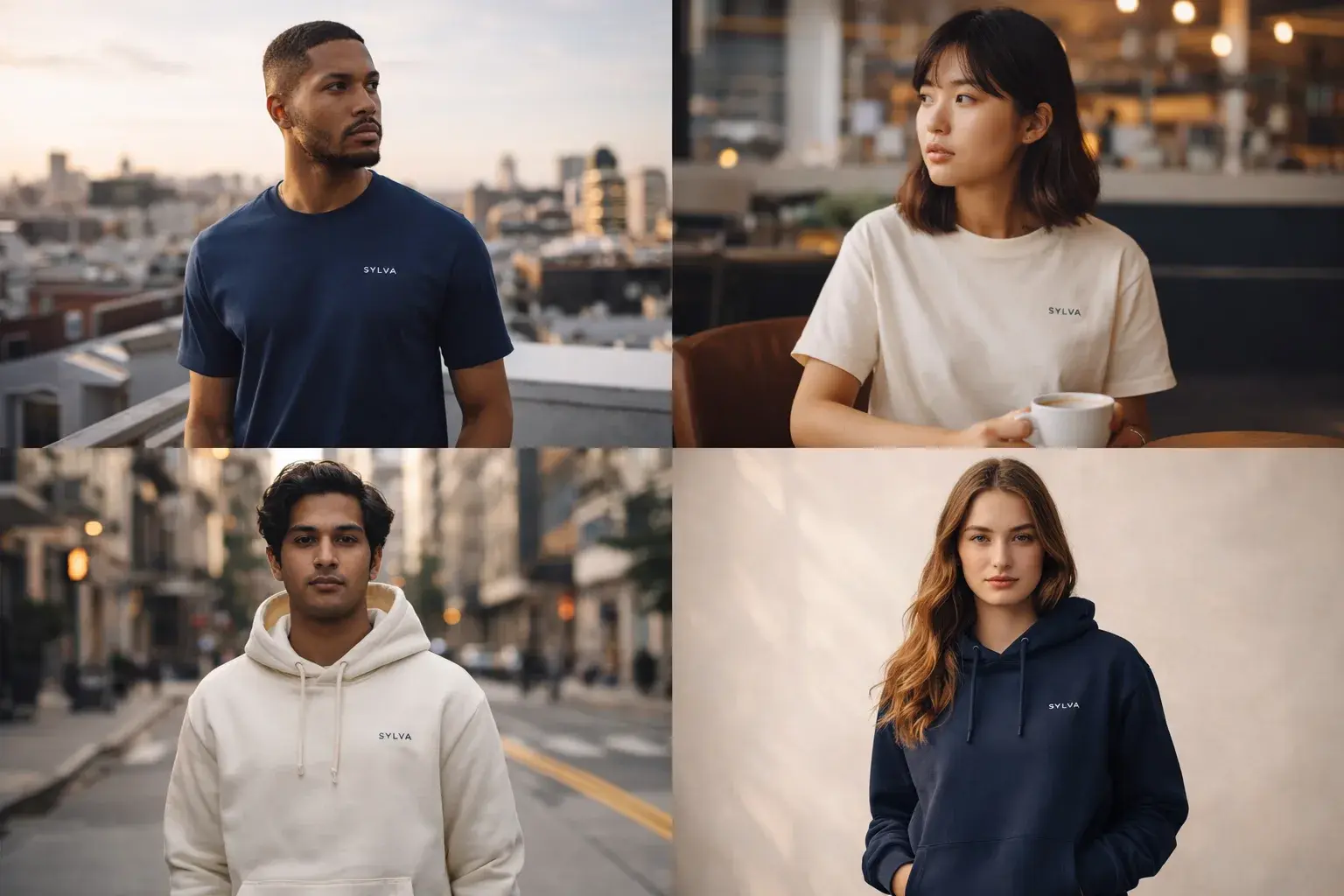
One of the most requested services we offer is placing brand logos on AI-generated characters. It sounds simple, but getting it right requires understanding light, fabric, perspective, and brand guidelines.
Why Brands Love This
Traditional merchandise photography requires physical samples (weeks to produce), models, photographers, multiple outfit changes. With AI characters, you can show a brand's logo on dozens of different people, in different settings, wearing different styles, all in a single day.
The Technical Process
1. Generate the Base Character
Create diverse, photorealistic characters that match the brand's target audience. We use Midjourney and Flux for this step, with detailed prompts that control:
- Body type and posture
- Clothing style and fabric texture
- Lighting environment
- Camera angle and focal length
Example prompt:
Photorealistic portrait of a young woman wearing a plain black
oversized t-shirt, natural daylight, shot on Canon R5 85mm f/1.4,
shallow depth of field, neutral expression, urban rooftop setting
2. Map the Logo Placement
Understanding how logos wrap around fabric is critical. A logo on a flat chest area behaves differently than one wrapping around a sleeve or sitting across fabric creases. We use Photoshop's warp tools and displacement maps generated from the garment's texture.
3. Match the Lighting
The logo must look like it belongs on the garment, not pasted on top. This means:
- Matching the directional light source
- Adding appropriate shadow under the logo edges
- Adjusting brightness/contrast to match the fabric's exposure
4. Color Accuracy
Logo colors render differently on dark vs. light fabrics, matte vs. glossy materials. We calibrate each placement to ensure the brand's exact colors come through accurately.
The Details That Separate Amateur From Professional
The difference comes down to shadows and fabric interaction. A logo on a t-shirt catches light differently than one on a hoodie. The fabric texture affects how the ink looks. A crease running through the logo should subtly distort it. These details are what make our mockups indistinguishable from real photography.
Use Cases
- Social media campaigns: diverse model representation without logistics overhead
- E-commerce listings: product mockups before manufacturing
- Merch previews: validate designs with your audience before printing
- Pitch decks: show investors the vision with photorealistic concepts
- Brand explorations: test logo placements across styles rapidly
Scaling Across Demographics
One of the most powerful advantages is representing diverse audiences without logistical complexity. A single brand can visualize merchandise on characters of different ages, body types, ethnicities, and styles, all within the same session.
This is especially valuable for brands expanding into new markets where local representation matters. Instead of coordinating photoshoots in multiple locations, generate culturally relevant mockups that resonate with each target audience.
Tools and Workflow
| Step | Tool | Purpose | |------|------|---------| | Character generation | Midjourney / Flux | Base character creation | | Logo preparation | Illustrator | Clean vector + color variants | | Placement & warp | Photoshop | Displacement maps, perspective | | Refinement | Photoshop AI | Generative fill for edge blending | | Batch processing | Custom scripts | Scale across multiple characters |
The financial case is compelling too. A traditional photoshoot for a merchandise line can easily reach five figures. Our AI mockup workflow delivers comparable quality at a fraction of that, and faster turnaround means products reach market sooner.